One of the most misleading states in SEO is not "no visibility." It is getting impressions while clicks stay flat.
Pages like this are easy to misread. One person says the title is weak, so the team rewrites it three times. Someone else says the content must be thin, so they start over. Another person blames ranking position. The problem is that impressions already tell you Google is at least testing the page. If you do not separate why the page is being shown from why users still are not clicking, you end up working very hard on the wrong fix.
For SeoSpeedup users, this is usually a SERP diagnosis problem before it becomes a writing problem. I would rather check the search-result promise, the page type, and the landing-page handoff first, then decide whether the right move is to adjust the title, rewrite the description, change the page angle, or assign the keyword to a different URL.
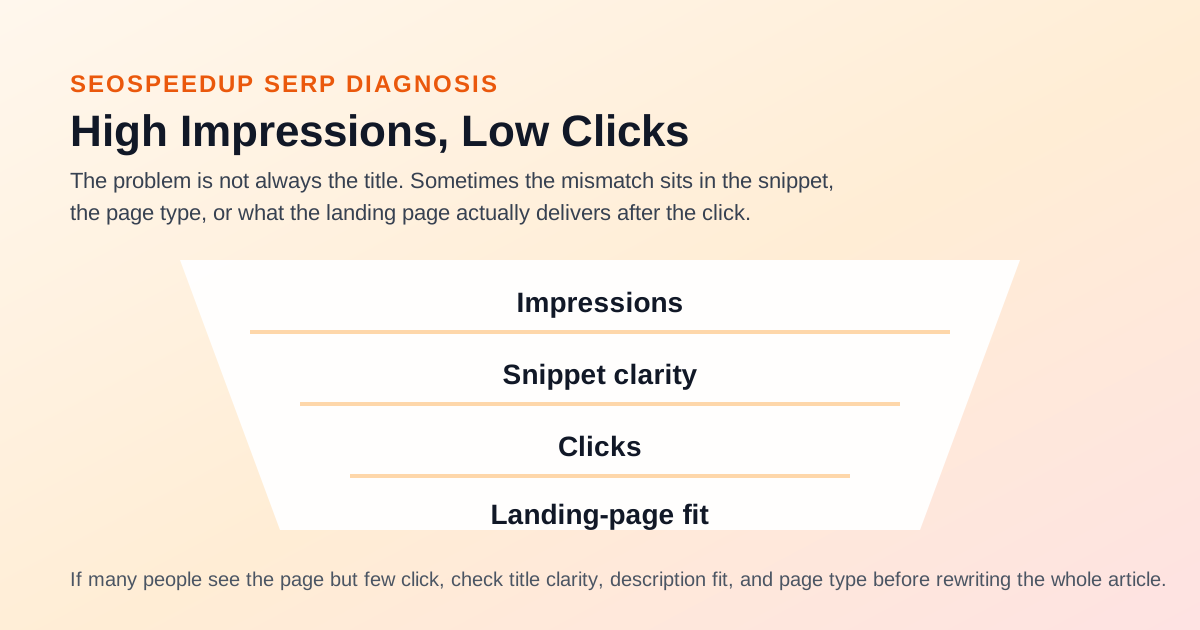
High impressions and low clicks do not automatically mean the title is bad. The gap can sit in the snippet, the page type, or what the landing page delivers after the click.
Four reasons pages get impressions but not clicks
1. The title is visible, but not clear
The issue is usually not that the title is too plain. It is that it does not help the user decide quickly.
On the results page, people make two fast judgments:
- Is this the page I need right now?
- If I click, will it solve the problem without wasting my time?
If the title is just stacking keywords instead of stating the topic and the outcome, impressions can rise while CTR stays stubbornly low.
2. The description does not finish the decision
A lot of meta descriptions simply repeat the title with different wording. That rarely gives the searcher a new reason to click.
A good description reduces hesitation. It adds context, sharpens the use case, or clarifies what the page actually contains.
3. The page type does not match the query
This is the one teams miss most often.
If the searcher wants a live tool and you show them a long article, the page may still earn impressions because the topic is relevant. It will struggle to win clicks. The same thing happens when the query is early-stage and exploratory, but the result points to a hard-sell service page.
4. The SERP promise and the landing page do not match
This is where trust breaks.
The snippet looks like it answers one thing, but the page opens on something else. In the short term, CTR stays weak. In the longer term, the page can also lose momentum because the click promise and the on-page experience do not reinforce each other.
Do not rewrite the title first. Figure out which problem you actually have.
This is the triage I use first:
| What you see | More likely issue | First move |
|---|---|---|
| Impressions are steady but clicks stay low for weeks | Title or description is too vague | Tighten the SERP message first |
| The title is already clear and CTR is still weak | Wrong page type for the query | Recheck the page role |
| Users click and leave fast | Search promise and page opening do not align | Fix the intro and structure |
| Several pages share the same impression set | Page roles are blurred | Resolve cannibalization first |
How to check this inside SeoSpeedup
Step 1. Check whether the page itself is the wrong fit
I usually start with:
What I want to see:
- Whether the current title, description, and body are all pointing to the same topic
- Whether the H1 and opening paragraphs actually answer the query
- Whether the page structure behaves like a different page type than the one you intended
If the page is miscast from the start, polishing the title is just surface work.
Step 2. Use the title tool to test the click angle
The next stop is usually:
I am not looking for the most aggressive headline. I care about:
- Which title makes the topic clear fastest
- Which title promises only what the page can really deliver
- Which title sounds like the natural framing for this specific page
If you want to clean up the relationship between the title and the description together, this companion piece helps:
Step 3. Align the rest of the snippet signals
Once the page role is correct and the title direction makes sense, then I move to:
The real value here is not just rewriting metadata. It is making sure the:
- Title
- Description
- Keyword language on the page
all point back to the same job.
Step 4. If copy is not the problem, go back to page type
A page with impressions is already in the candidate set. When clicks stay low, it often means the searcher is not convinced that this is the right format for the job.
That is when the better question is not "How do I make the title punchier?" but:
- Should this keyword be handled by a blog page?
- Would a tool page make more sense?
- Should a service page own this instead?
If you are stuck on that decision, read:
A common mistake is treating every low-CTR page as a headline problem
This is where teams drift off course.
A stronger title is not always a louder title.
In practice, the better fix is often:
- Clearer topic framing
- A more specific use case
- The right page type
- A tighter match between snippet promise and page content
CTR sometimes improves because the writing gets sharper. Just as often, it improves because the page gets more honest.
When is it worth rewriting the body?
I only start rewriting the body after a few things are already true:
- The page role is not drifting
- The title direction is sound
- The description adds useful context
- The keyword is not being split across competing URLs
If all of that is in place and CTR is still disappointing, then I look at the page itself:
- Is the opening too slow?
- Does the first 150 words answer the query quickly enough?
- Does the body actually deliver what the snippet implied?
Conclusion
The gap between impressions and clicks is rarely just one title. It is usually a broken decision chain.
That is why high-impression, low-click pages are so easy to misjudge. They look like a copy problem, but they are often a page-role problem first.
For SeoSpeedup, the more reliable order is:
- Use the SEO Analyzer to verify that the page is the right landing page.
- Use the AI Title Generator to sharpen the angle.
- Use the AI TDK Rewrite Tool to align the SERP message.
- If clicks still lag, go back and review page type and keyword ownership.
If you are sitting on a batch of pages with impressions but very few clicks, that sequence is usually more useful than another round of blind title rewrites.
Read next: