Most websites don't start losing traffic months after launch—they hardcode their SEO failures the exact moment they go live.
It’s the classic scenario: The pages load fine, the design is approved, and the product team hits "Publish." A week later, you realize the staging robots.txt rule was pushed to production, canonical tags are generating infinite loops, the XML Sitemap is empty, and mobile users can't click the primary CTA. By the time you fix these "minor" bugs, you've already missed the critical window for search engines to establish their initial understanding of your site.
We strongly advocate shifting SEO checks left (before deployment), rather than treating them as "post-launch triage." At SeoSpeedup, we don't overcomplicate this. We run through a rigid hierarchy of technical signals to prevent these expensive, amateur mistakes.
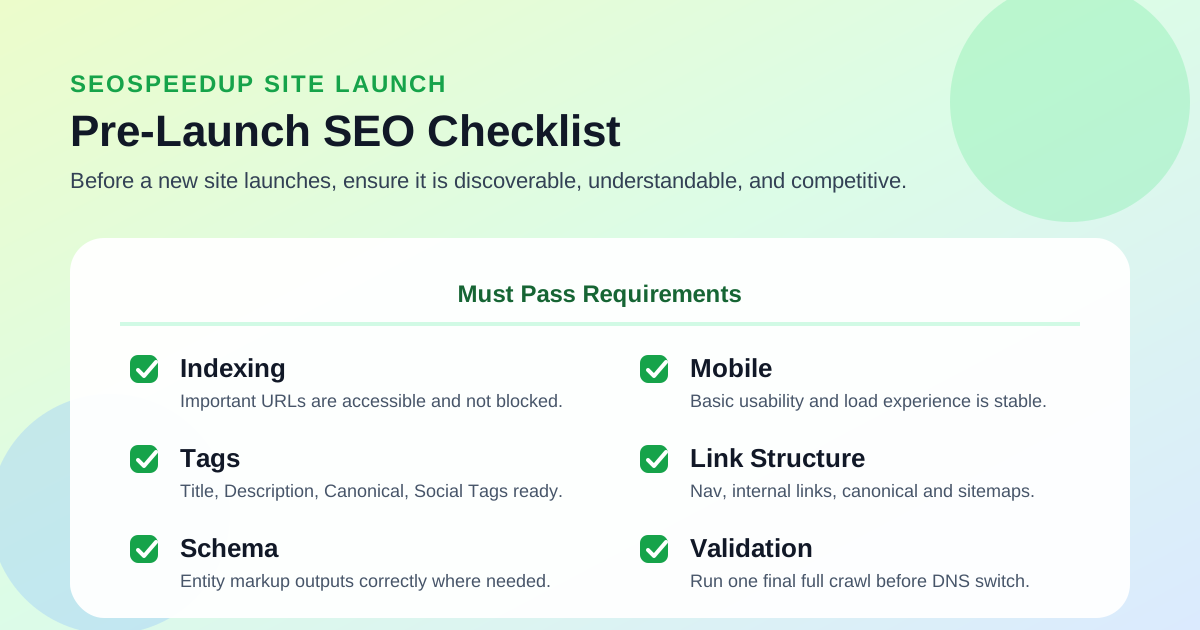 Think of your pre-launch SEO check as an aviation pre-flight manifest. Ensure the site can be discovered and understood before you worry about ranking.
The 5-Phase Pre-Launch Inspection
1. Crawlability & Accessibility
This is the gatekeeper. If search engines can't access your pages, your beautiful design and perfectly crafted content are mathematically irrelevant.
Before you launch, verify:
- Do essential pages return a clean 200 OK status code?
- Have you entirely stripped out the development/staging passwords or blocks?
- Is the production
robots.txtfree from accidentalDisallow: /commands? - Are there any rogue
noindextags hidden in the global headers?
Use the SEO Analyzer for a site-wide health check, then lock down your crawl rules using the Robots.txt Generator.
2. Meta Tags & Normalization (Canonical)
If your initial meta signals are chaotic, Google will misinterpret the purpose of your pages from Day One.
Crucial checks:
- Does every core page have a unique, descriptive Title and Meta Description?
- Is the Canonical tag self-referencing, or did your CMS template accidentally point every page to the homepage?
- Are Open Graph (OG) and Twitter Cards rendering so your launch doesn't look terrible when shared on social media?
The SeoSpeedup Workflow:
- Build the baseline tags using the Meta Tag Generator.
- If your titles sound robotic, refine the angle with the AI TDK Rewrite Tool.
- Double-check the logic using the Canonical Tag Generator.
3. Discovery Paths & Sitemaps
Just because a page is live doesn't mean a crawler is going to find it magically. For new sites, migrations, or deeply nested categories, you need forced discovery.
Confirm:
- Has the XML Sitemap been regenerated with the production URLs?
- Are all priority landing pages actually included in that Sitemap?
- Do the top navigation, footers, and contextual internal links successfully bridge your core pages? (Beware the "orphan page" trap).
Don't wait for Google to stumble upon your site. Use the Sitemap Generator and submit it via Search Console the minute the DNS propagates.
4. Semantic Structure & Schema Markup
You don't need Schema on every single page, but your high-value pages must be semantically coherent.
We look for:
- Does the page have clear entity attributes? (e.g., Is it an Organization, a Product, or an Article?)
- Is the URL structure logical, clean, and keyword-friendly?
Arm yourself with the Schema.org Generator to build the JSON-LD, and check your routing with the SEO Friendly URL Checker.
5. Mobile Usability & The "Real-World" Test
This is the phase most frequently ignored by desktop-bound developers. Your site may look gorgeous on a 27-inch monitor, but instantly break on a mobile device:
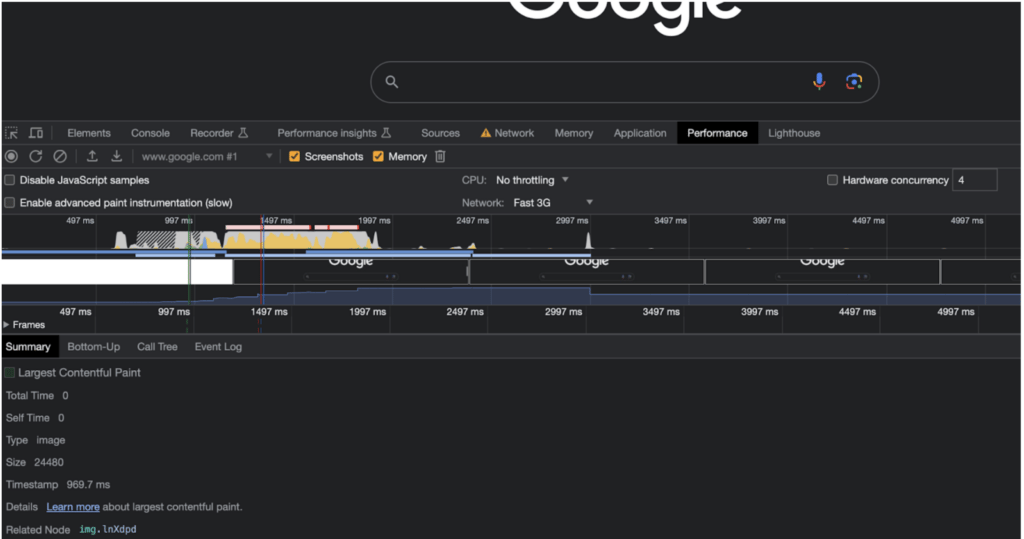
- Is the Above-The-Fold (ATF) content insanely heavy to load?
- Are tap targets (buttons/links) overlapping?
- Is the primary Call-To-Action pushed below the fold?
- Does clicking a menu require executing bloated JavaScript?
Because Google uses Mobile-First Indexing, mobile bugs aren't UX issues—they are direct SEO ranking factors. Run your final candidate through the SEO Analyzer and check the mobile viewport rendering.
The Actionable Pre-Launch Cheat Sheet
Hand this checklist to your dev and content teams before anyone is allowed to touch the "Deploy" button:
| Category | What to Verify | Recommended Tool |
|---|---|---|
| Crawl Control | robots.txt, noindex tags, 200 OK status | /seo + /tools/robots-txt-generator |
| Meta Signals | Unique Titles, Descriptions, Canonical logic | /tools/meta-tag-generator + /tools/canonical-tag-generator |
| Content Alignment | Do the title and page content match? | /ai/tdk-rewrite |
| Discovery | Accurate XML Sitemap, robust internal linking | /tools/sitemap-generator |
| Semantics | Clean URLs, accurate Schema JSON-LD | /tools/seo-friendly-url-checker + /tools/schema-org-generator |
| Usability | Mobile rendering, fast core web vitals | /seo |
Who CANNOT Afford to Skip This Checklist?
1. Brand New Domains
The biggest risk for a new site is sending mixed, chaotic signals to Googlebot on its first visit. You want the crawler's initial understanding to be flawless, otherwise the "re-evaluation" process takes significantly longer.
2. Site Migrations / Redesigns
The migration nightmare: The new design launches, but the old and new URLs exist simultaneously without proper redirects, canoncials, or updated Sitemaps. Traffic will crater.
3. Programmatic & Tool Sites
If you are generating dozens of templated tool pages, a single bug in your meta tag template or URL structure will instantly multiply across your entire site.
Conclusion: Check SEO Before Launch, or Pay for It Later
The most expensive SEO mistakes aren't badly written blog posts. They are fundamental technical errors hardcoded at the moment of deployment.
Use the SeoSpeedup pre-launch sequence to lock down your technical foundation:
- Baseline health check: SEO Analyzer.
- Crawl & Discovery: Robots.txt & Sitemaps.
- Normalization: Meta Tags & Canonicals.
- Semantics: Schema Data & Clean URLs.
- Polish: AI TDK Rewrite.
If you are preparing to flip the switch on a new project, this checklist isn't optional. It's mandatory.