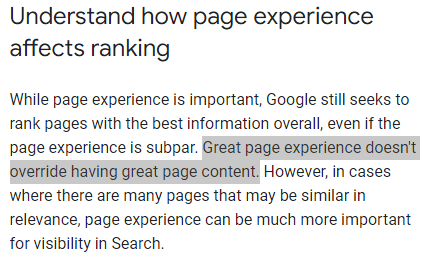
It’s a classic mistake. You notice a page isn't getting indexed, and your immediate instinct is to "improve the content." You mess with the keywords, you polish the headings, you rewrite the intro.
Stop. You’re likely wasting your time.
If a search engine isn't putting your URL in the index, it's rarely because you're missing two paragraphs of text. Usually, it's a technical gatekeeper problem. The page might not have been found yet, or it was found but blocked, or it was crawled but Google decided another URL was the "official" version.
If you have pages that are live but simply won't show up in search, you need a process—not a brainstorm. At SeoSpeedup, we break this down into a rigid sequence: Check accessibility, check Robots and Sitemaps, verify Canonicals, and only then do you look at internal linking and content depth.
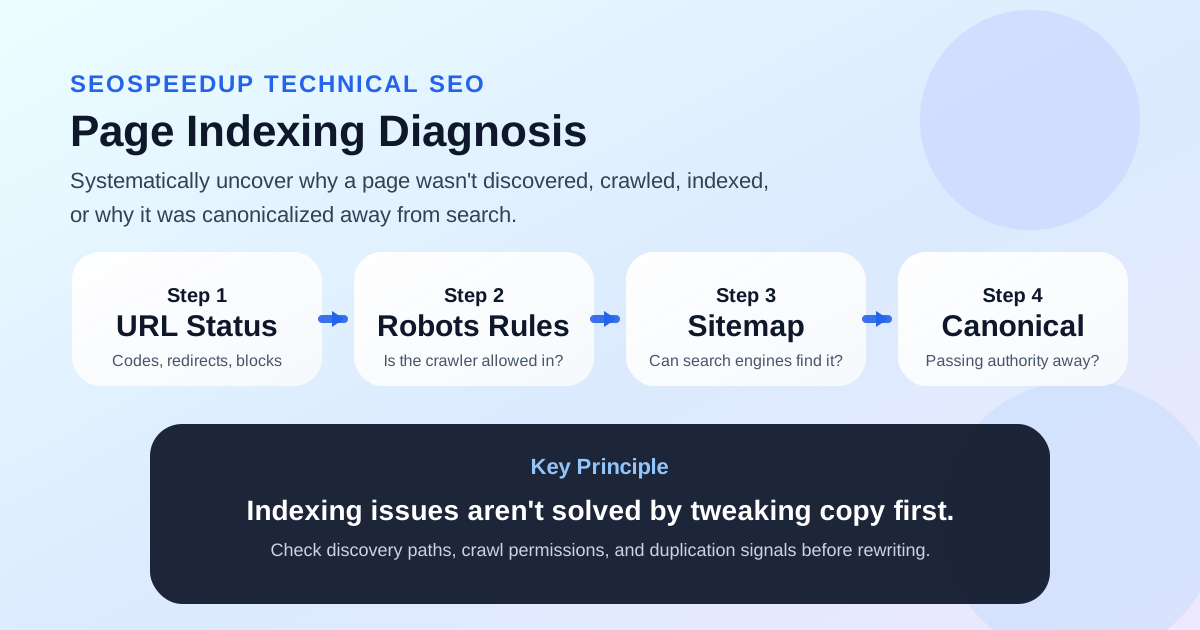 Indexing is a chain. If one link is broken, the content doesn't matter. Fix the discovery and crawlability before the text.
The Indexing Gap: 4 Categories of Failure
To fix an indexing problem, you have to know which phase of the journey failed. We categorize these into four buckets:
- The Invisible Page: Google doesn't even know it exists.
- The Forbidden Page: Google found it but isn't allowed to crawl it.
- The Ghost Page: Google crawled it but attributed the value to a different URL (Canonicalization).
- The Low-Value Page: Google saw it but didn't think it was worth the space in the index.
Once you categorize the failure, the fix becomes obvious. For example:
- If the page has zero internal links and isn't in your Sitemap, it's a Discovery issue.
- If your Robots.txt or a
noindextag is misconfigured, it's a Crawl Control issue. - If your canonical points somewhere else, it's a Normalization issue.
Only after you rule out the first three should you ever touch the actual body text of the article.
The Troubleshooting Sequence
1. Verify Baseline Accessibility
Before talking about rankings, check if Google can even "enter" the room.
Run the URL through the SEO Analyzer and check the vitals:
- Does it return a 200 OK status? (No 404s, no redirect chains).
- Is there a accidental
noindextag hiding in the header? - Is the URL structure standard and understandable for a crawler?
If the page is technically "broken" or blocked at the door, nothing else matters.
2. Is Robots.txt Blocking the Entrance?
It sounds simple, but you’d be surprised. Many "indexing" problems are just simple "keep out" signs.
Compare your site rules using the Robots.txt Generator. Check for:
- Rules that block entire directories where your new content lives.
- Obsolete rules from old site versions that are still active.
- Development/Staging rules that were accidentally pushed to production.
Remember: robots.txt tells a crawler whether it's allowed to look. noindex tells it whether it's allowed to remember. Don't confuse the two.
3. Does a Path to Discovery Exist?
If a page doesn't have a stable entry point, Google might never find it—even if it's technically crawlable.
Ask yourself:
- Is this page linked from your navigation, a category page, or related articles?
- Is it in your XML Sitemap?
If you're not sure about the second one, use the Sitemap Generator to fix it. Sitemaps aren't optional for new sites or large-scale updates; they are the primary roadmap Google uses.
4. Check for "Canonical Cannibalization"
This is the most overlooked step in modern SEO. Your page might be live, but Google might think it's just a duplicate of another page.
Use the Canonical Tag Generator to verify your logic:
- Does the page have a self-referencing canonical?
- Is it accidentally pointing to an old URL or a paging parameter?
- Does your template output the same canonical for every single page?
If the canonical is wrong, your page isn't "missing"—it’s been merged into something else.
The Indexing Cheat Sheet
If you want a quick diagnostic guide, use this table:
| Symptom | Likely Issue | First Action |
|---|---|---|
| Page never discovered | Zero internal links / Missing from Sitemap | Add to Sitemap and build 3 internal links. |
| Page live but ignored for weeks | Robots.txt block / noindex tag | Audit crawl control signals. |
| Search results show a different URL | Canonical error / Duplicate content | Fix the Canonical tag to self-reference. |
| Page indexed then dropped | Thin content / Intent mismatch | Deepen the content and add unique data. |
The Conclusion: Discovery First, Content Second
When a page isn't indexing, the worst thing you can do is start "re-writing." It’s a waste of energy.
Follow the SeoSpeedup workflow:
- Use the SEO Analyzer for the baseline check.
- Verify Robots.txt rules.
- Update your Sitemap.
- Lock down your Canonical Tags.
- Only then should you look at the text or the SEO Friendly URL.
If you have a batch of pages stuck in the indexing "black hole," run them through this sequence right now. It’s significantly more effective than guessing.